 Kingly TeamKingly Team
The Stripe transactions are from VRBO and Direct OTAs only.
Tools you need:
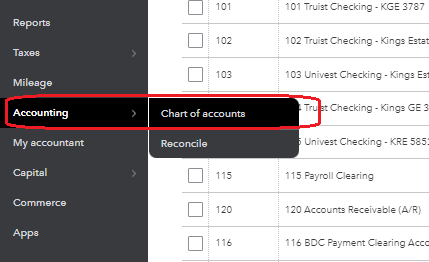
Click on Accounting and choose the Chart of Accounts.
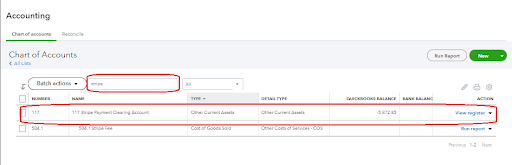
Search for “Stripe” and click on Stripe Payment Clearing Account. To view the transactions, click on View Register.
Login to Stripe. Click on the Balances tab and choose the Payouts option on the left bar.
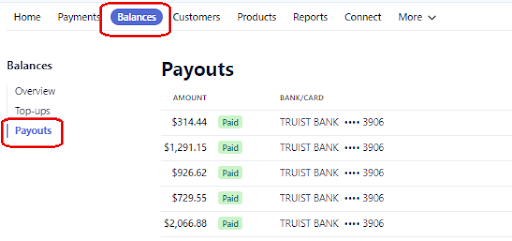
This displays all the payouts received. To know the specific transactions in that payout, just click on it and scroll down.
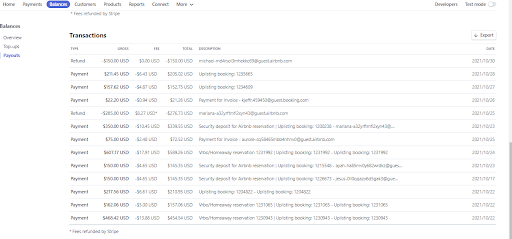
Each of these transactions needs to be checked in Uplisting and each transaction needs an invoice in Quickbooks.
Kindly check the SOP for Invoicing Template/ Line items / How to enter an Invoice for guidelines. Make sure to mark the invoice creed PAID via Stripe Clearing Account.
Please view a Training Video on how to check and mark the transaction paid.