 Kingly TeamKingly Team
Department | Operations; Private High security {1492} | Last Revision by and DATE | Joanna Jul 4, 2022 |
Purpose Summary |
| ||
Frequency | Weekly |
We have different ways of creating an invoice, depending on the OTA and the type of transaction. The following screenshots will give the exact way on how to create the invoice.
Let’s start!
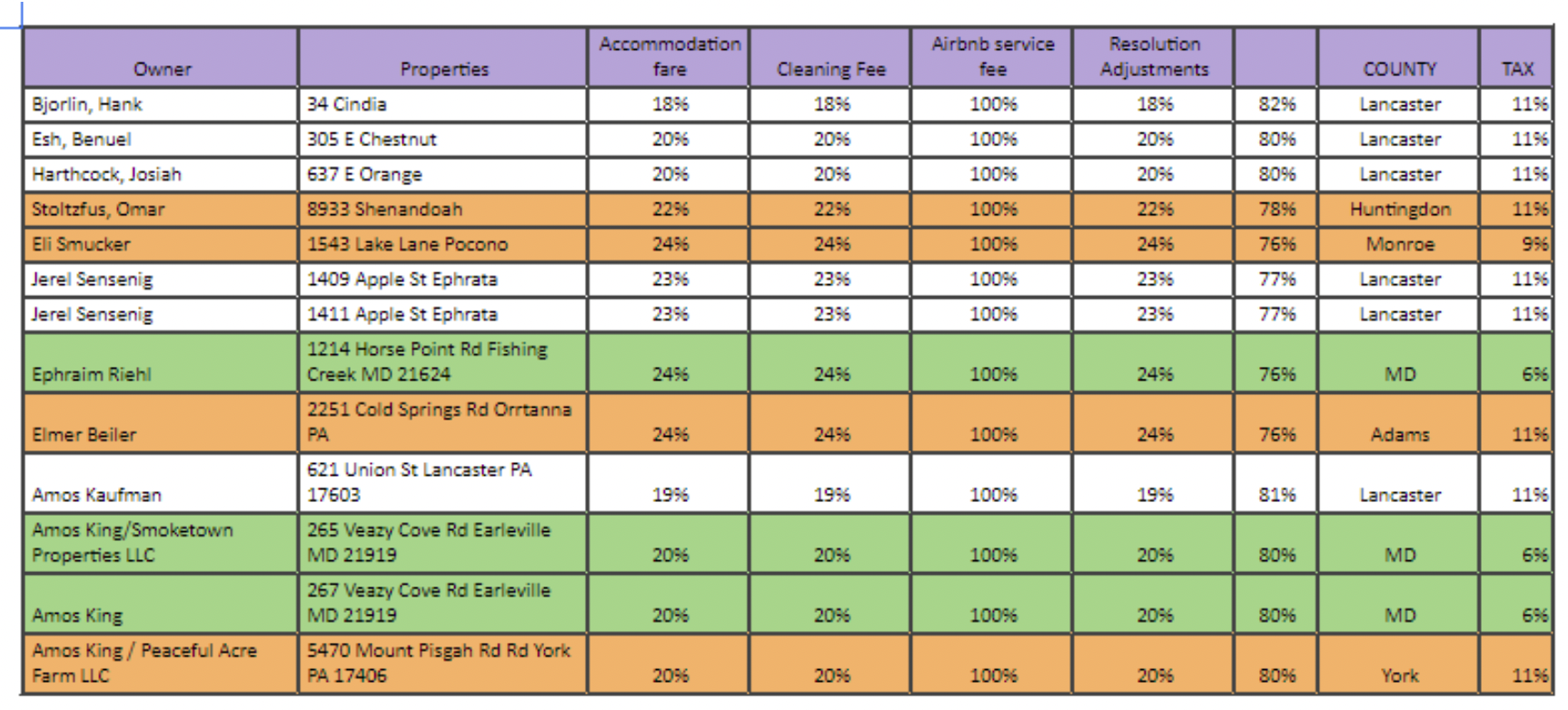
Every invoice has line items, so please check the Line Items SOP to know more on what to use. Please check the Property Management sheet for every property percentage.
One of our OTA, is Airbnb. It is where we get the majority of our bookings.
We have Bnbtally to help us with bridging the transactions from Airbnb to Quickbooks. All we need to do is setup the RULES in Bnbtally and link it to Quickbooks. Kindly check the SOP for Setting Up BnbTally.
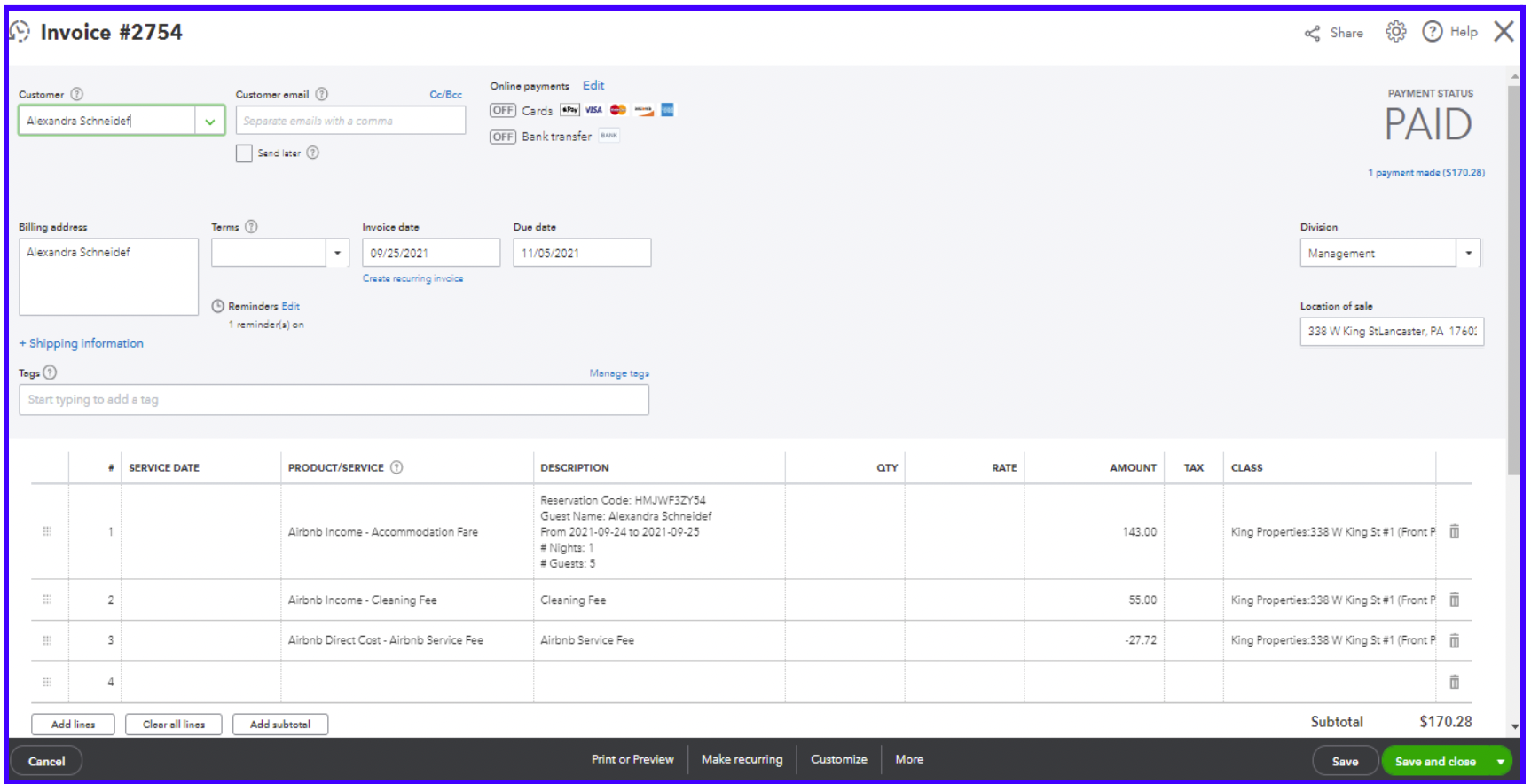
This is how an Airbnb invoice looks like.
This invoice is for Kings Property.
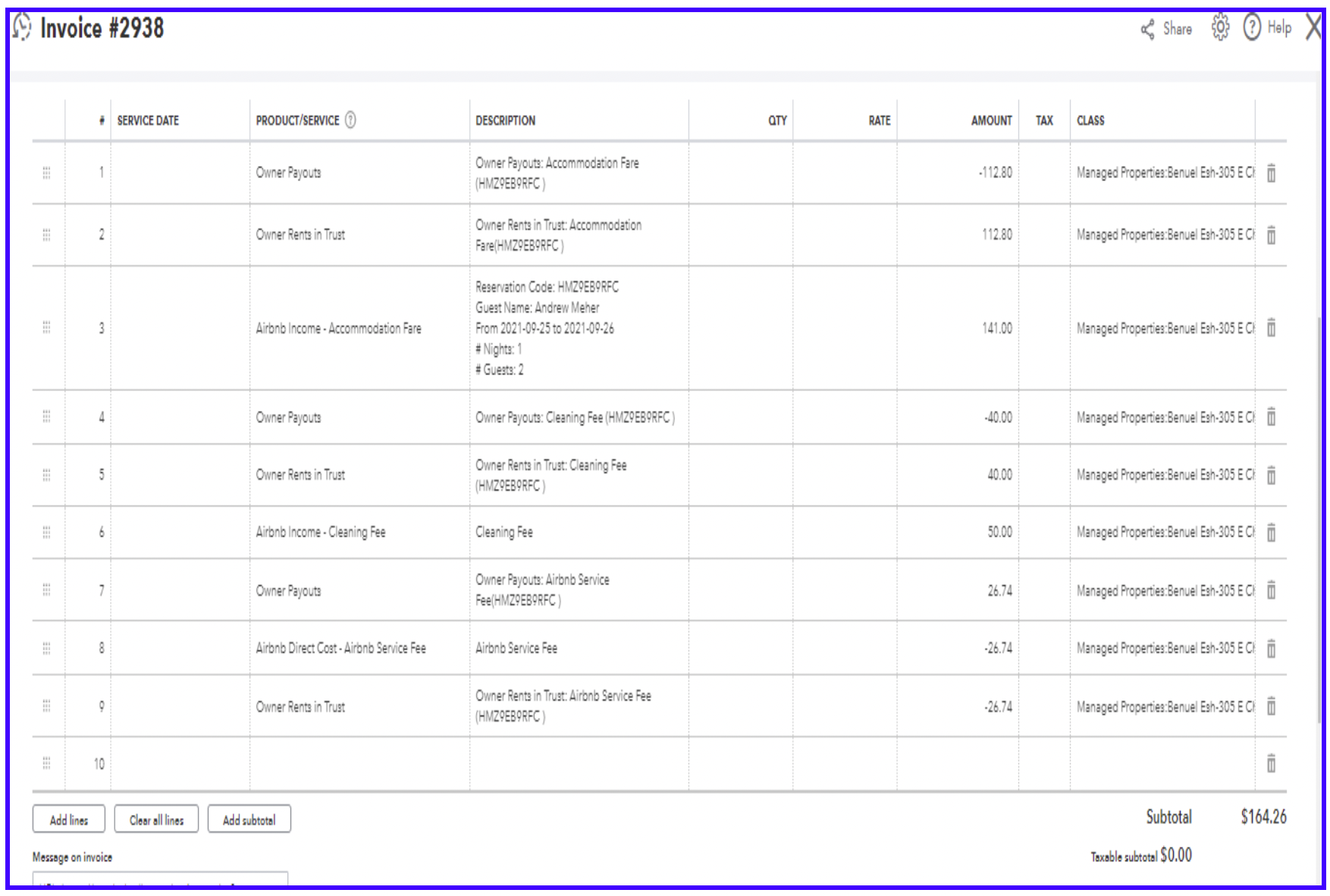
This invoice is for the Managed Properties. You need to check the Property Management document for the property percentage.
Another OTA is BDC (Booking.com).
This invoice is for Kings Property with no STRIPE Fee.
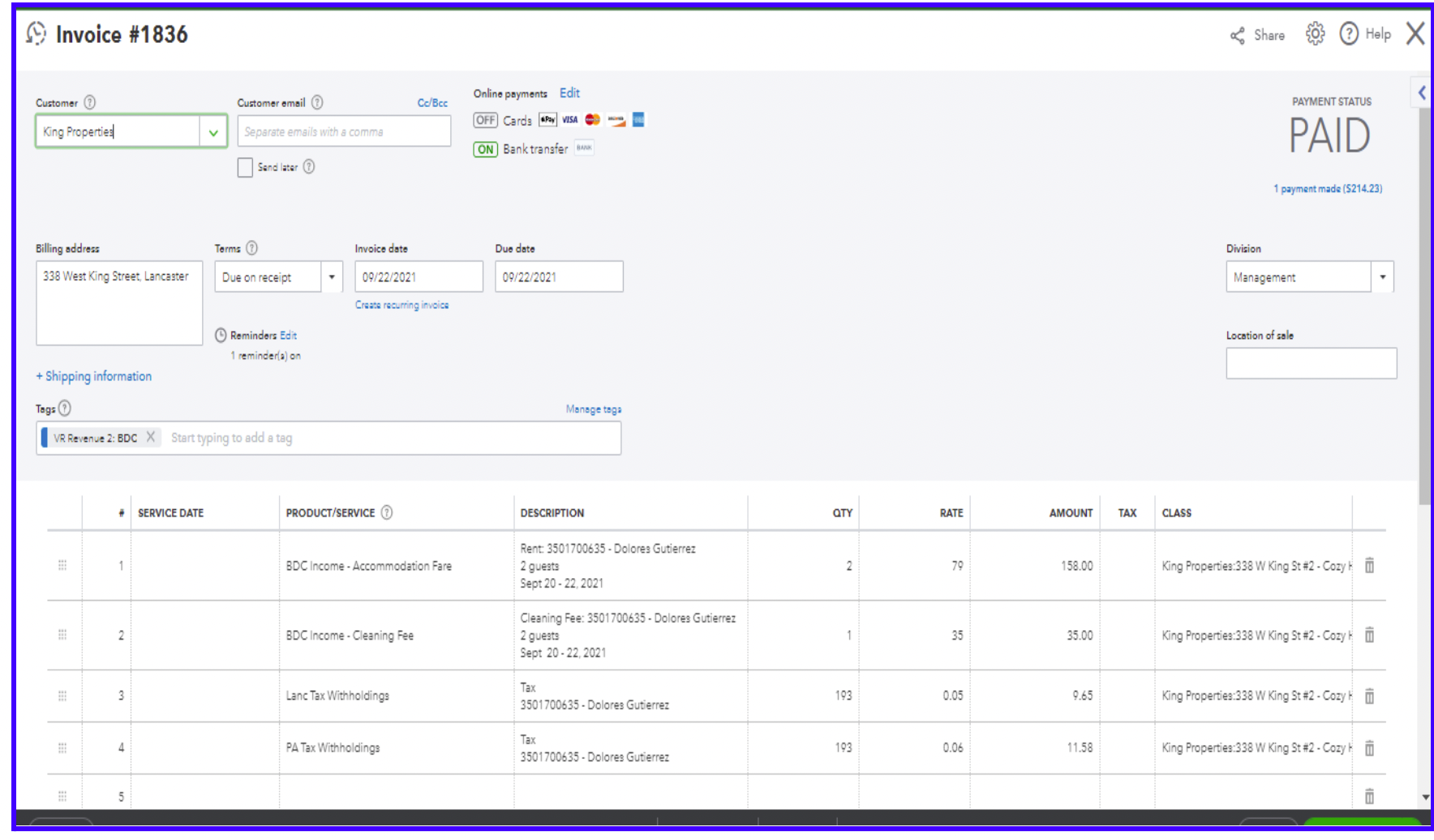
This invoice is for Kings Property with no STRIPE Fee.
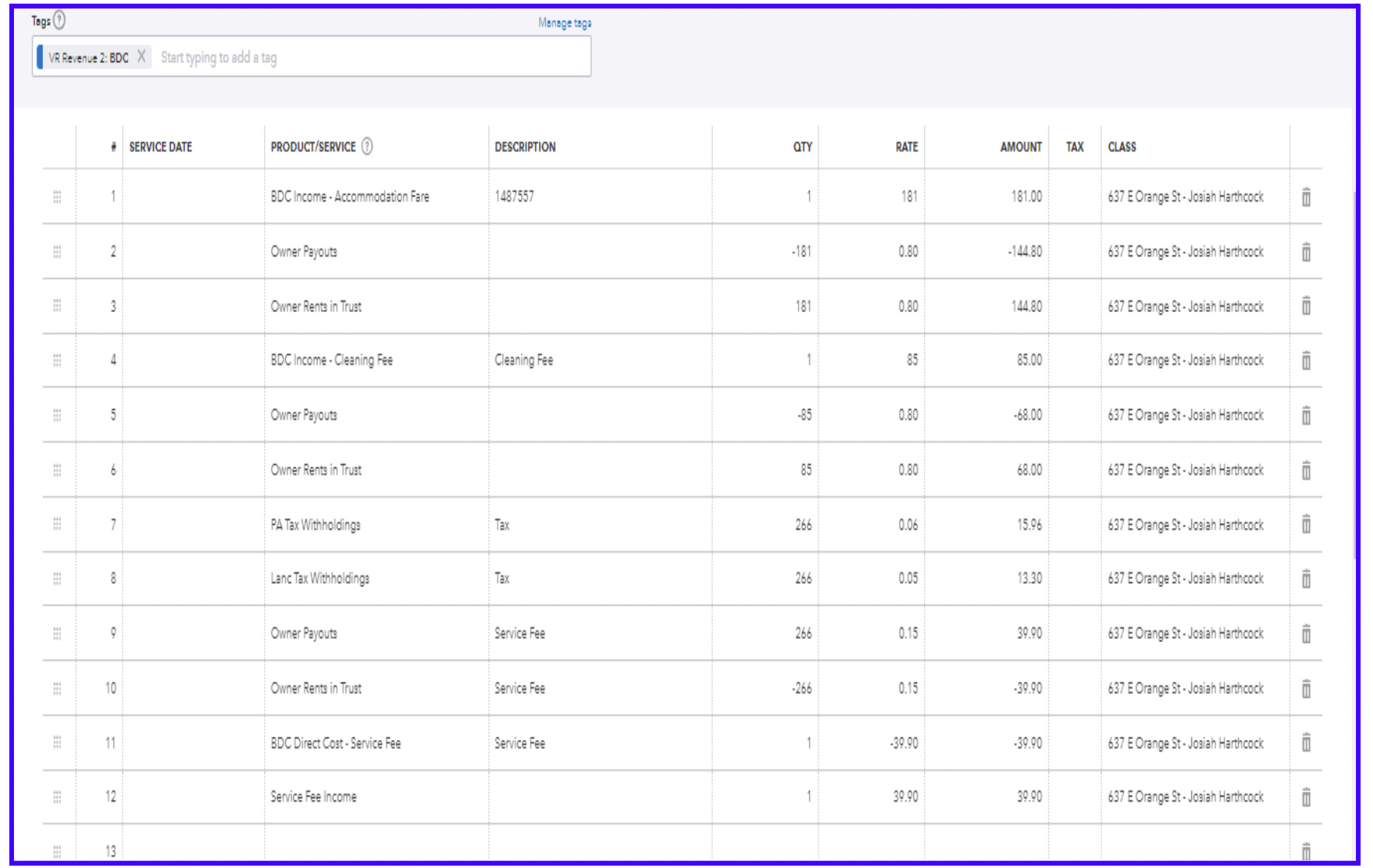
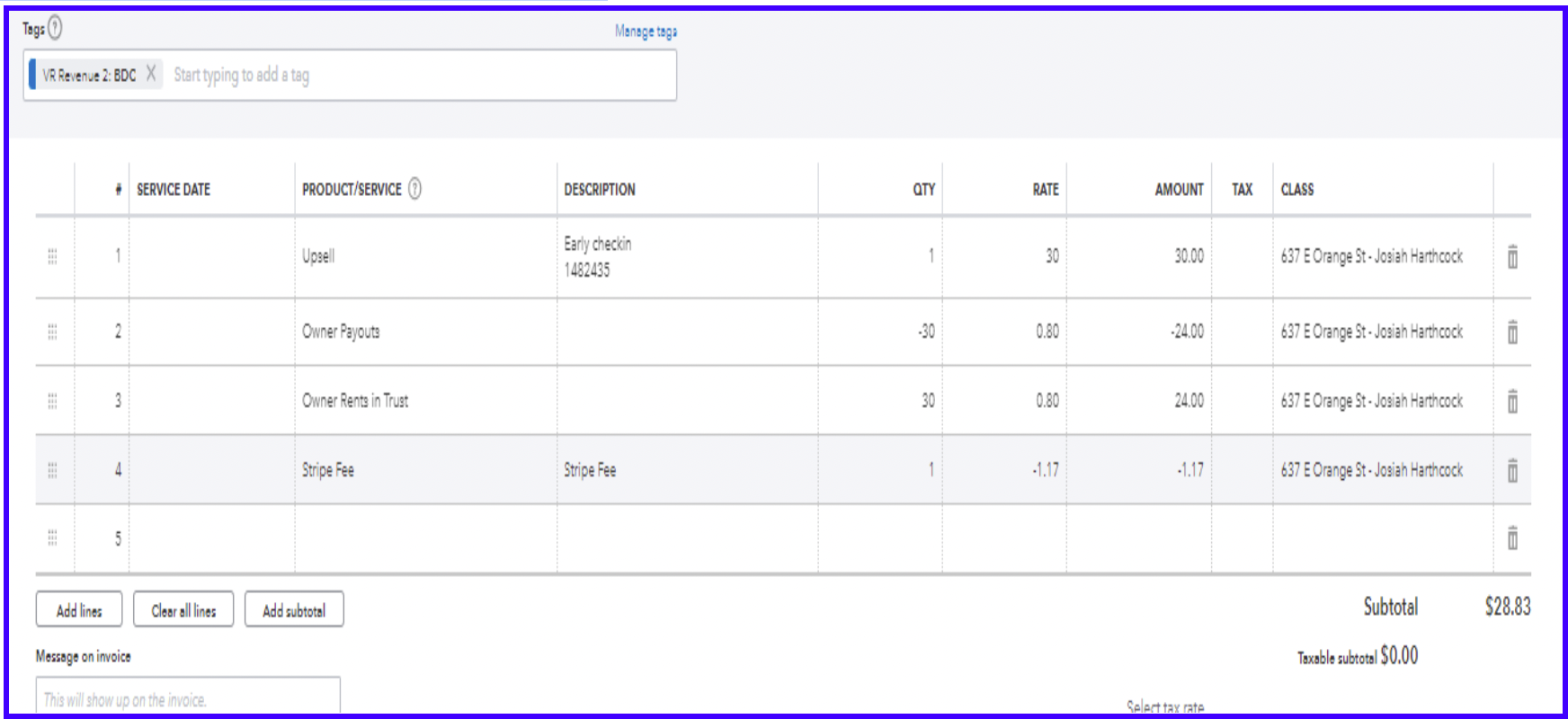
This invoice is for the Managed Properties from BDC with a Stripe Fee. You need to check the Property Management document for the property percentage.
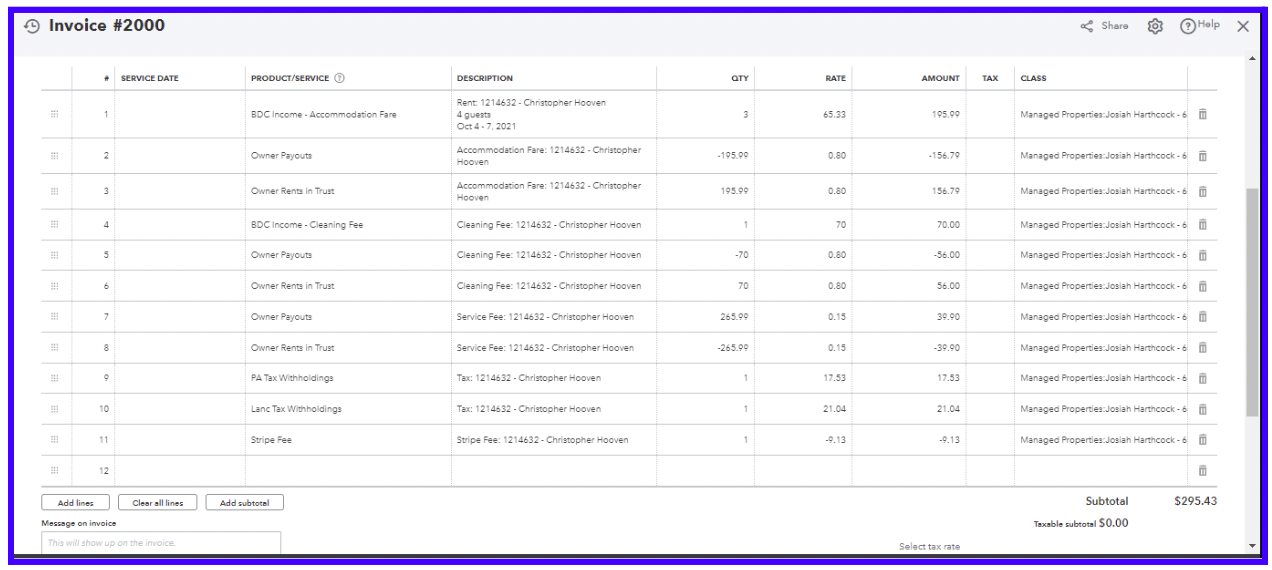
Please note that Booking.com reservation doesn’t have a Stripe fee, except on occasion like the example above.
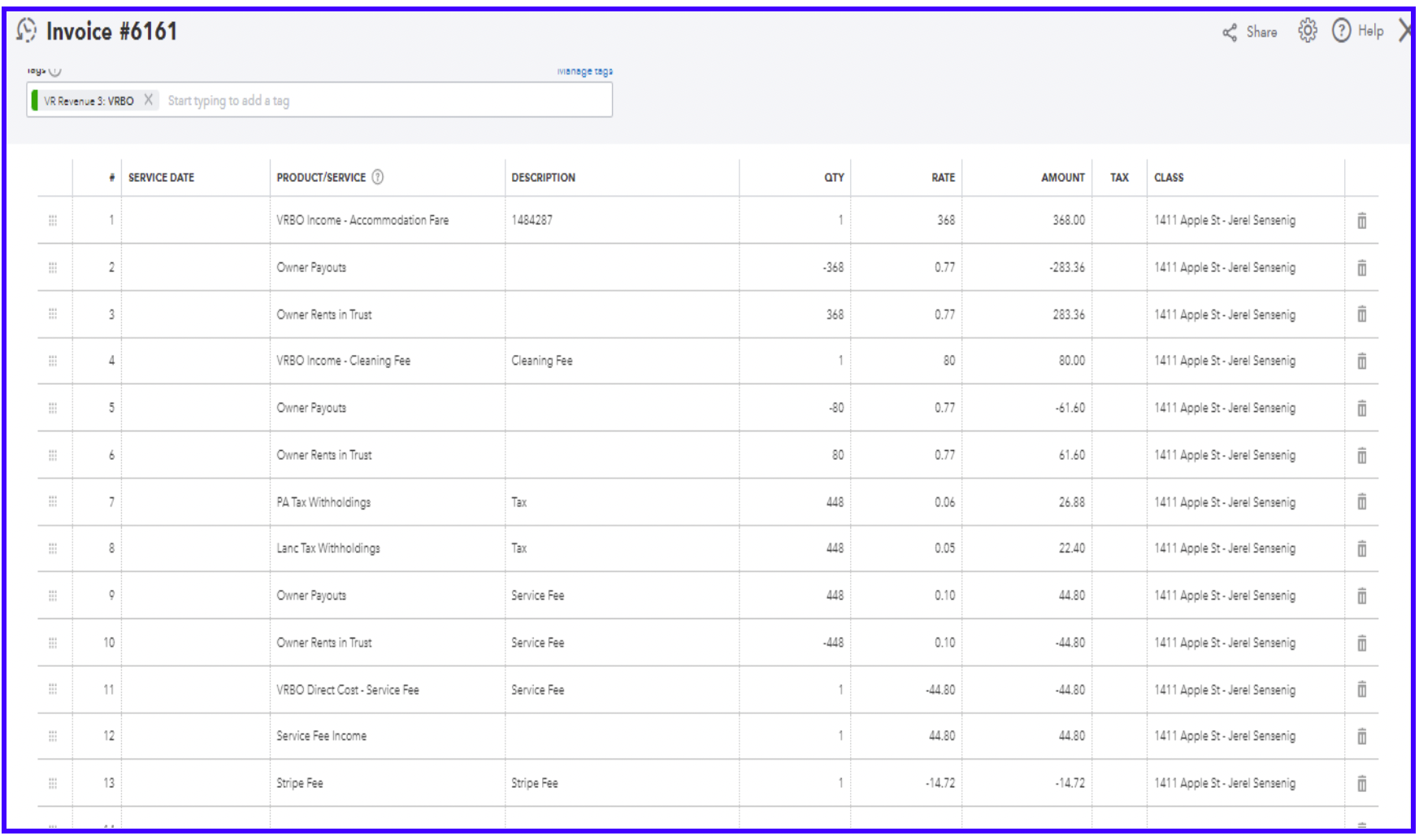
Another OTA is VRBO.
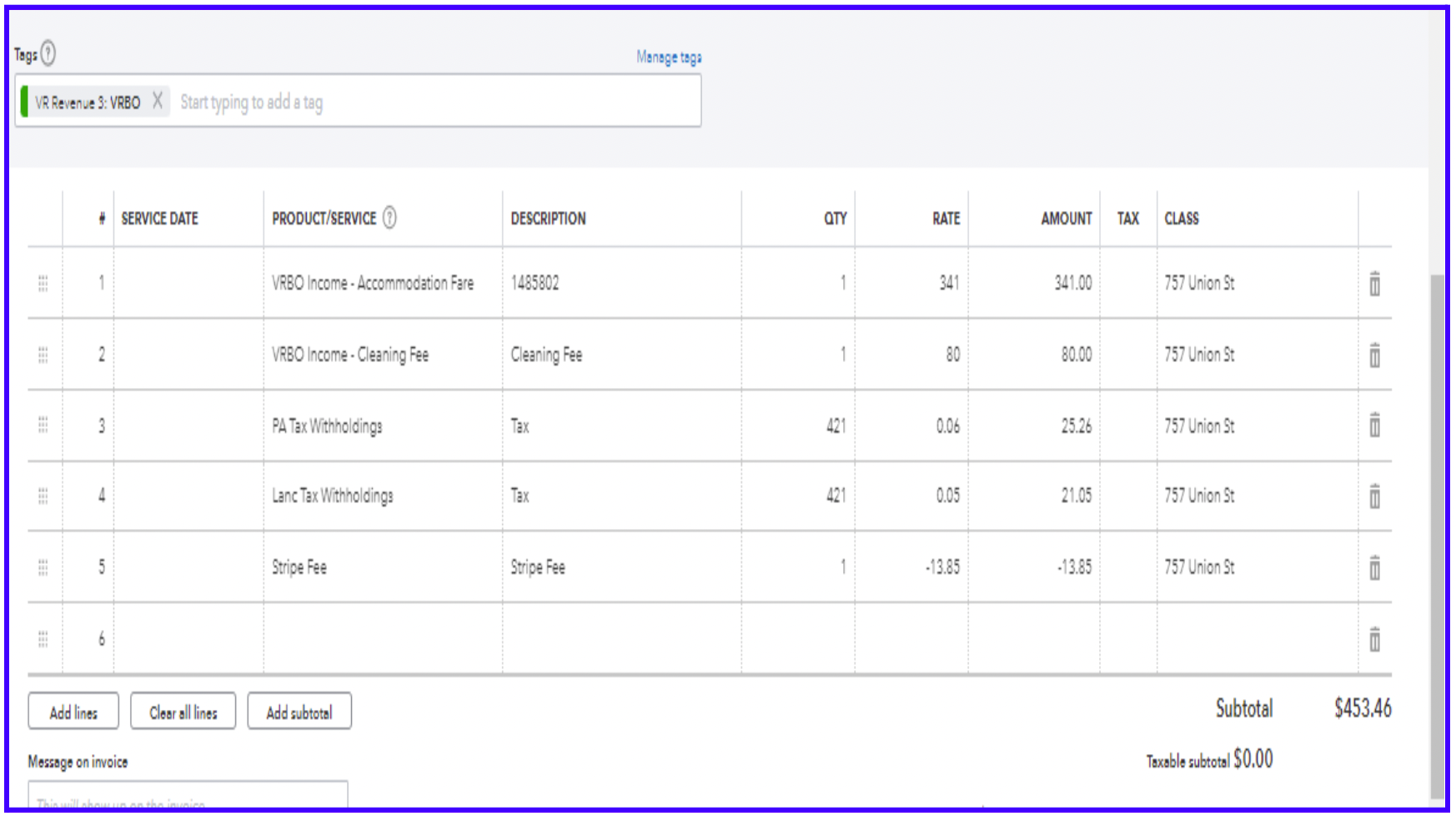
This invoice is for the Managed Properties. You need to check the Property Management document for the property percentage
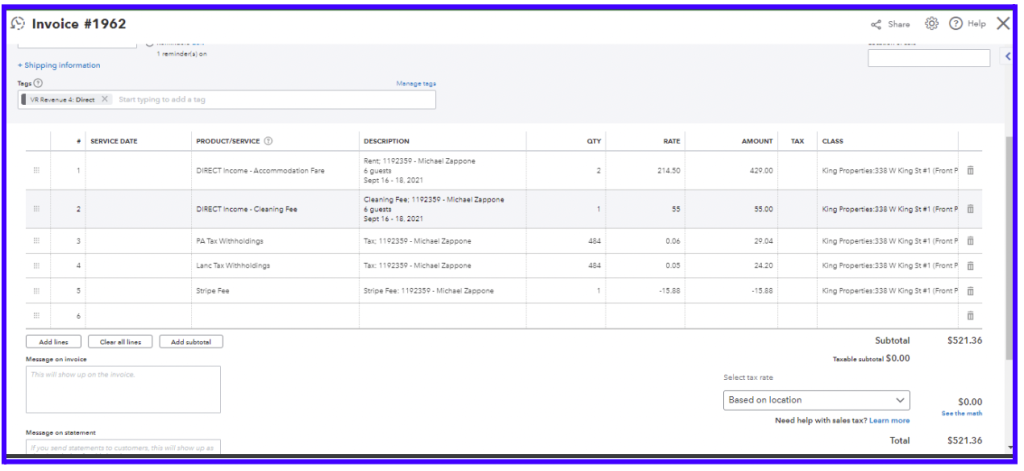
Another OTA is Direct (via our website: www.kinglyvacay.com)
This invoice is for Kings Property.
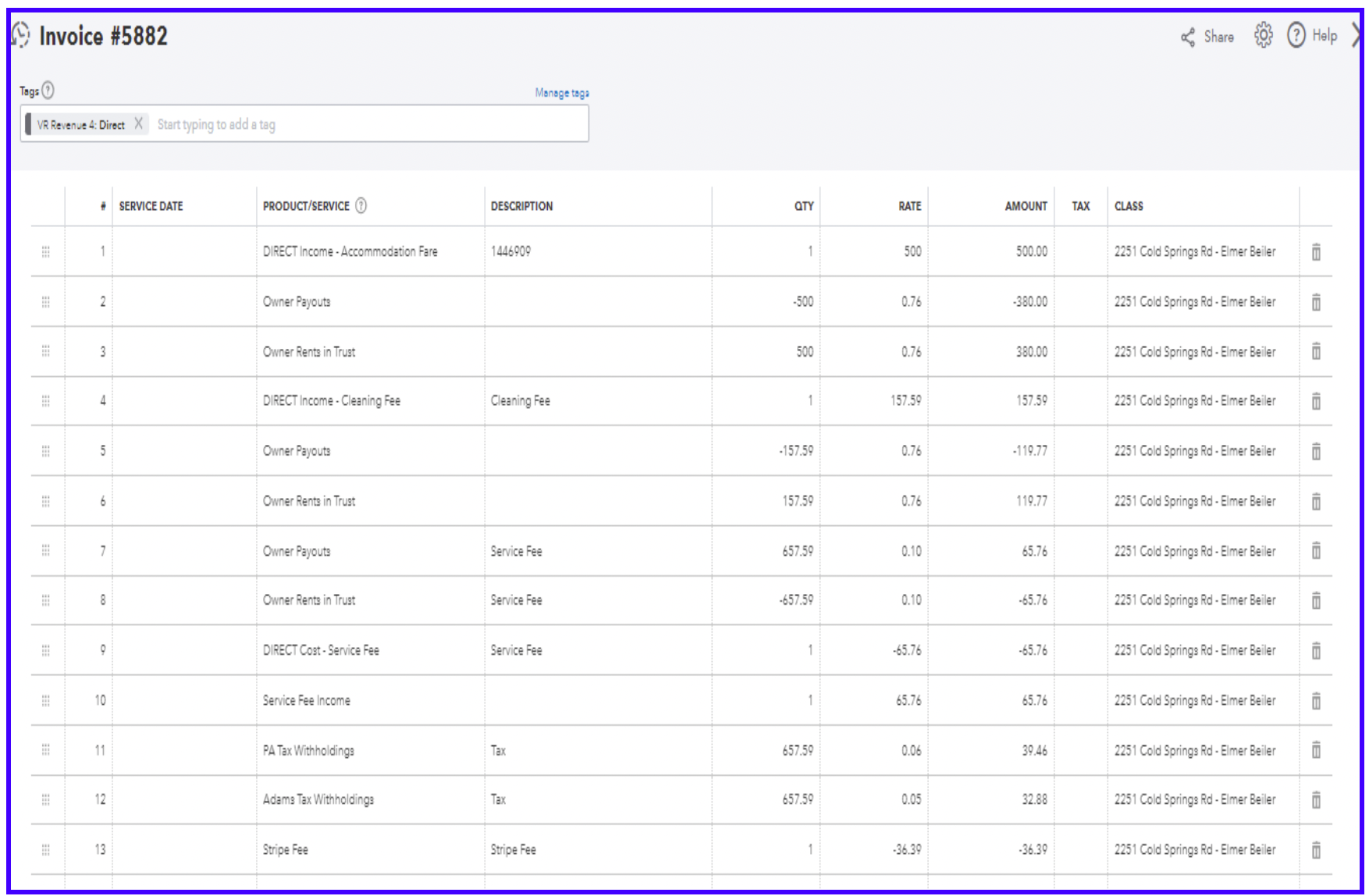
This invoice is for Managed property.
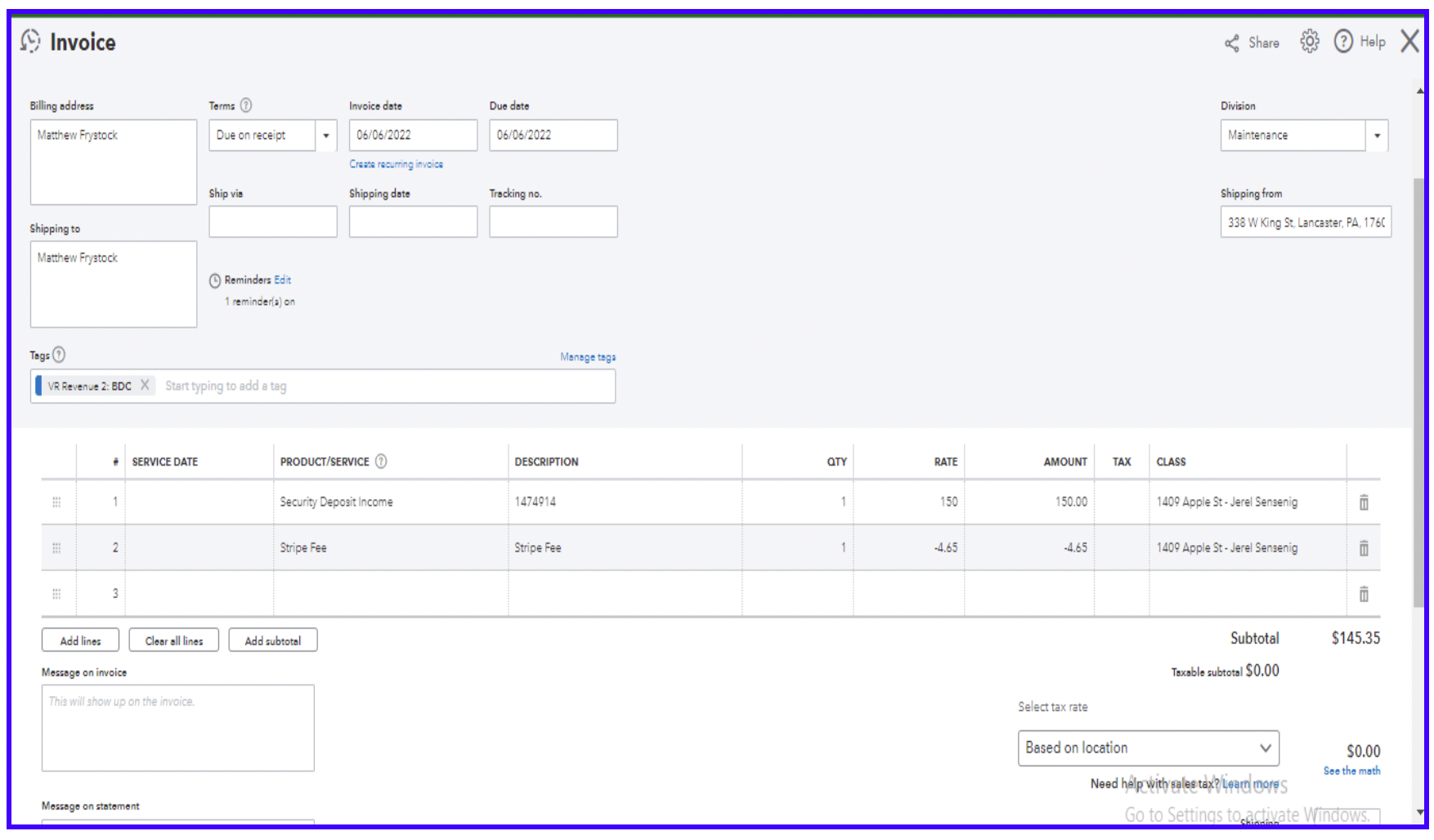
Invoice for Security Deposit (NO RIT, NO TAX)
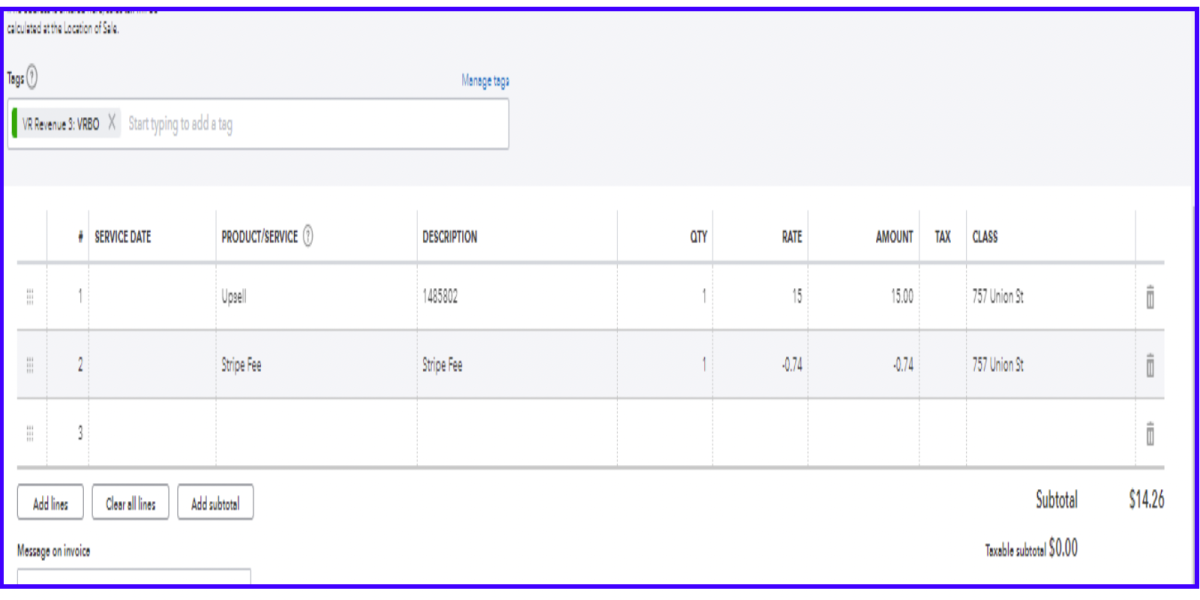
For UPSELL on Managed Property (YES RIT, NO TAX)
For UPSELL on Kingly Property (NO RIT, NO TAX)